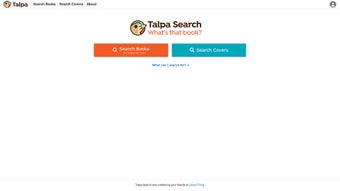

Download Talpa – AI‑Powered Library Search Tool for Accurate Bibliographic Results
Overview
Talpa is a cutting‑edge, web‑based library search application that blends artificial intelligence with authoritative bibliographic data to deliver precise, collection‑focused results. Unlike generic AI chatbots that can “hallucinate” references, Talpa taps into trusted sources such as Bowker, LibraryThing, WorldCat, and other vetted catalogues, ensuring every suggestion is grounded in real, published material. The engine runs on advanced language models from Anthropic and OpenAI, which have been fine‑tuned to understand nuanced queries, especially those that involve older or out‑of‑print titles.
For librarians, this means a tool that respects the unique holdings of their institution while still offering a modern, intuitive search experience for patrons. Talpa’s experimental phase invites users to provide feedback, shaping future updates and feature expansions. A free tier is available for a limited time, making it accessible for small public libraries, academic institutions, and avid book collectors.
While its strength lies in surfacing legacy titles, Talpa currently has limited coverage of brand‑new releases, a trade‑off that reduces the risk of presenting inaccurate information. The platform is built on a secure, cloud‑hosted architecture that encrypts every query with HTTPS and stores no personal data beyond the active session. This design aligns with GDPR, CCPA, and other data‑protection regulations, giving libraries confidence that patron privacy is maintained.
Overall, Talpa positions itself as a reliable, AI‑enhanced companion for anyone looking to navigate the deep archives of library collections with confidence and ease, while also providing administrators with analytics dashboards that reveal search trends and help refine collection development strategies. By combining AI sophistication with rigorous data validation, Talpa delivers a trustworthy search experience that aligns perfectly with the mission of modern libraries.
Core Features & Benefits
- AI‑Driven Query Understanding: Utilizes state‑of‑the‑art language models to parse natural‑language searches, handling complex phrasing, synonyms, and ambiguous terms.
- Authoritative Data Validation: Cross‑checks results against Bowker, LibraryThing, WorldCat, and other reputable bibliographic databases to eliminate hallucinated entries.
- Collection‑First Prioritization: Highlights items that are physically or digitally available in the user’s library, reducing dead‑end searches and improving patron satisfaction.
- Legacy Title Focus: Optimized for older publications, making it especially useful for research libraries, historical archives, and special‑collections departments.
- Configurable Integration: Offers API hooks, JavaScript widgets, and OAI‑PMH endpoints for seamless embedding into existing library catalogs or OPAC systems.
- Feedback Loop & Analytics: Built‑in reporting tools let librarians submit usage data, view heat‑maps of popular search terms, and directly influence future development.
- Secure, Cloud‑Hosted Architecture: All queries are processed over encrypted HTTPS, with no personal identifiers stored beyond the active session.
- Free Limited‑Time Offer: Full feature access is free during the launch period, removing financial barriers for early adopters while still providing enterprise‑grade functionality.
Beyond the raw feature list, Talpa delivers tangible benefits that improve both staff workflow and patron experience. Librarians spend less time chasing false leads because the AI filters out titles that aren’t actually held by the institution. Patrons enjoy faster, more accurate results, which encourages deeper exploration of the library’s unique holdings.
The tool’s focus on older titles also fills a niche often ignored by commercial AI search engines, positioning Talpa as a specialized solution rather than a generic one. Because the service is web‑based, there’s no need for local installations or maintenance; updates roll out automatically, keeping the AI models current without any administrative overhead. The analytics dashboard provides insights into what subjects are most in demand, helping collection development staff make data‑driven acquisition decisions.
Moreover, the widget’s customizable look‑and‑feel lets libraries match their branding, while the API enables advanced developers to build bespoke workflows such as automated inter‑library loan suggestions. In short, Talpa’s blend of AI sophistication, rigorous data validation, and flexible integration creates a trustworthy search experience that aligns perfectly with the mission of modern libraries.
Installation, Usage & Compatibility
Getting Started
Talpa requires no traditional “installation” because it is delivered as a SaaS (Software‑as‑a‑Service) platform. To begin, visit the official Talpa portal, create a free account with an institutional email address, and follow the on‑screen wizard that guides you through library credential setup. The wizard asks for basic metadata about your collection—such as OCLC numbers, MARC records, or a simple CSV export—so the system can map its AI suggestions to your holdings. Once the data is uploaded, Talpa generates a unique embed code that can be placed on any web page, including your library’s public catalog or a dedicated search page.
Step‑by‑Step Usage
- Sign Up: Register with an institutional email address to unlock the free trial and obtain an API key.
- Data Import: Upload your catalog file (MARC21, MARCXML, or CSV). Talpa’s ingestion engine validates the data, removes duplicates, and creates an internal index optimized for AI‑driven retrieval.
- Configure Search Settings: Choose whether results should prioritize physical copies, e‑books, or both. You can also set a “legacy boost” factor to give older titles higher visibility in the ranking algorithm.
- Embed the Widget: Copy the generated JavaScript snippet and paste it into the HTML of your library’s search page or OPAC interface. The widget auto‑detects the visitor’s device and adjusts its layout for desktop, tablet, or mobile.
- Test Queries: Perform sample searches (e.g., “19th‑century American poetry” or “microfilm newspaper archives”) to verify that results align with your collection and adjust weighting if necessary.
- Collect Feedback: Use the built‑in analytics dashboard to monitor search patterns, identify gaps, and submit feedback directly to the Talpa development team.
Operating System & Browser Support
Talpa is browser‑agnostic and works on any modern operating system, including Windows 10/11, macOS Ventura and later, Linux distributions, as well as mobile platforms such as Android 12+ and iOS 15+. Because the service runs in the cloud, performance is largely dependent on internet bandwidth rather than local hardware. Recommended browsers are the latest versions of Chrome, Firefox, Safari, or Edge, all of which support the required JavaScript, HTTPS, and CSP directives. For institutions that enforce strict security policies, Talpa can be accessed through corporate VPNs or whitelisted IP ranges without compromising data integrity.
The combination of a lightweight embed code and broad compatibility means that even libraries with limited IT resources can deploy Talpa quickly and securely. No additional plugins or extensions are required, and the system automatically updates its AI models on the back end, ensuring that users always benefit from the latest improvements without manual intervention. Institutions can also schedule automatic nightly syncs with their Integrated Library System (ILS) via the provided RESTful API, keeping the search index in lockstep with new acquisitions, withdrawals, or metadata corrections. This seamless integration reduces the administrative burden on library staff while delivering a consistently high‑quality search experience to patrons across desktop and mobile environments.
Pros, Cons & Frequently Asked Questions
Pros
- Highly accurate results thanks to validation against trusted bibliographic sources.
- Exceptional at locating older, out‑of‑print titles that other AI tools miss.
- Free limited‑time offering removes cost barriers for early adopters.
- Easy web‑based deployment – no client‑side installation required.
- Secure HTTPS communication and no persistent storage of user queries.
- Customizable integration fits into existing library catalogs seamlessly.
- Analytics dashboard provides actionable insights for collection development.
- Incremental data updates keep the index current without re‑importing the entire catalog.
Cons
- Limited coverage of brand‑new releases, which may frustrate patrons seeking the latest titles.
- Relies on internet connectivity; offline usage is not supported.
- Experimental phase means occasional bugs or feature gaps that may require work‑arounds.
- Advanced configuration (e.g., API usage) may require basic technical knowledge.
- Free tier includes all core features but omits premium support SLA and advanced reporting modules.
FAQ
Is Talpa really free, and for how long?
Yes, Talpa offers a completely free tier during its launch period. The free access includes all core features, unlimited searches, and full API integration. The exact end date of the promotion is announced on the official website, but it is intended to remain free for at least six months from the public release.
Can Talpa be used with my library’s existing OPAC?
Absolutely. Talpa provides a JavaScript embed widget and RESTful API endpoints that can be integrated into most OPAC systems, including Koha, Evergreen, Alma, and Ex Libris. The integration guide walks you through mapping your catalog fields to Talpa’s index for seamless operation.
How does Talpa protect patron privacy?
All queries are transmitted over encrypted HTTPS, and Talpa does not store personal identifiers or search histories beyond the active session. The service complies with GDPR, CCPA, and other major data‑protection regulations, making it safe for libraries that must adhere to strict privacy standards.
What happens if my library adds new titles after the initial data import?
Talpa supports incremental updates. You can upload a new CSV or MARC file at any time, or enable an automatic sync with your ILS via the provided API. The system re‑indexes the new records within minutes, ensuring that fresh acquisitions appear in search results promptly.
Is there any technical support available during the experimental phase?
Yes. Talpa offers community‑based support through its public forum, as well as direct email assistance for registered institutions. Priority support is planned for future paid tiers, but all free users receive timely responses to critical issues.
Can I customize the look of the Talpa search widget?
The widget comes with a set of CSS variables that let you adjust colors, fonts, and button styles to match your library’s branding. For deeper customization, you can use the API to build a completely custom front‑end while still leveraging Talpa’s AI backend.
Conclusion & Call to Action
Talpa bridges the gap between sophisticated AI language models and the rigorous standards of library science. By anchoring every suggestion in verified bibliographic data, it eliminates the common pitfalls of hallucinated results while delivering a smooth, intuitive search experience for patrons. Its focus on legacy titles makes it an indispensable asset for research libraries, historical archives, and any institution that values depth over flash. Although it currently leans away from the newest releases, the trade‑off is a more trustworthy and collection‑centric tool—exactly what libraries need in an era of noisy AI outputs.
If you’re a librarian looking to enhance your catalog’s discoverability, or a book enthusiast eager to explore hidden gems in your local library, Talpa is ready for you. Take advantage of the free limited‑time offer, integrate the widget into your OPAC, and start receiving accurate, collection‑focused results today. Download Talpa now and join the community of early adopters shaping the future of AI‑assisted library search.
Pros: Accurate legacy search, free trial, easy integration, robust analytics.
Cons: Limited new‑title coverage, internet‑dependent, experimental phase may have occasional bugs.



.png)



